
Organize repairs from intake to handover
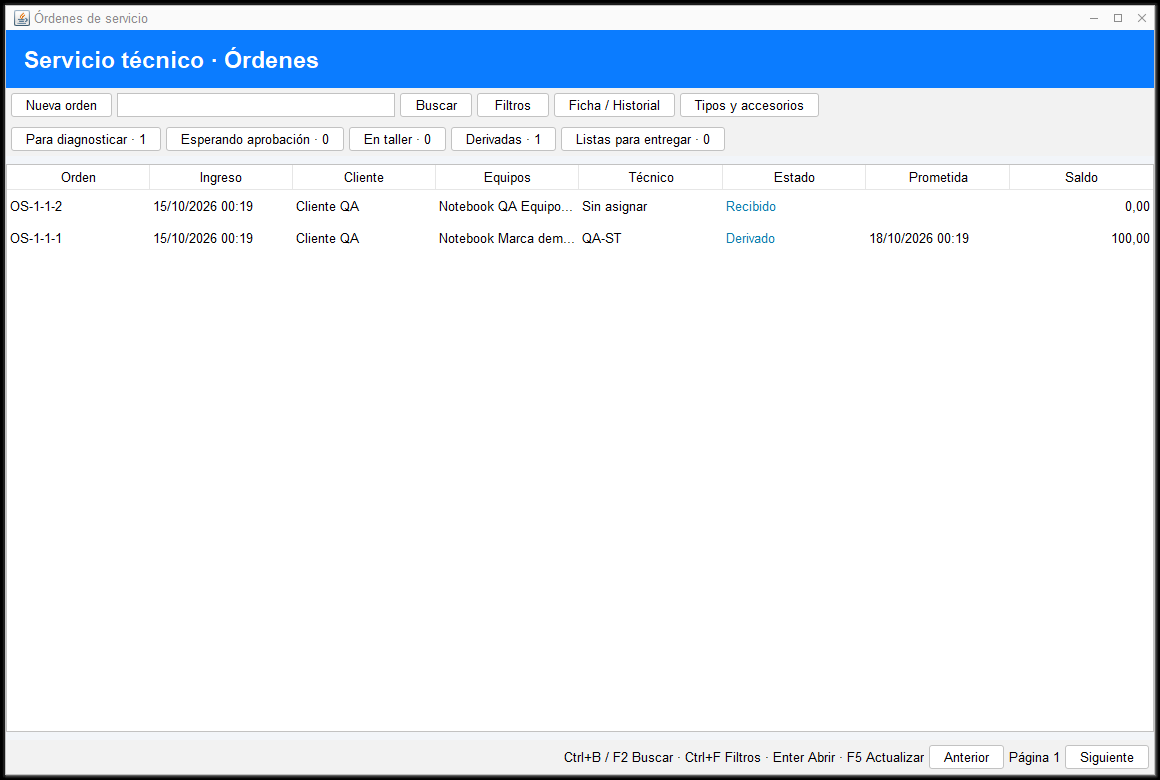
Record equipment, accessories and reported issues. Follow diagnostics, estimates and payments with each device’s history at hand.
Does any of this sound familiar?
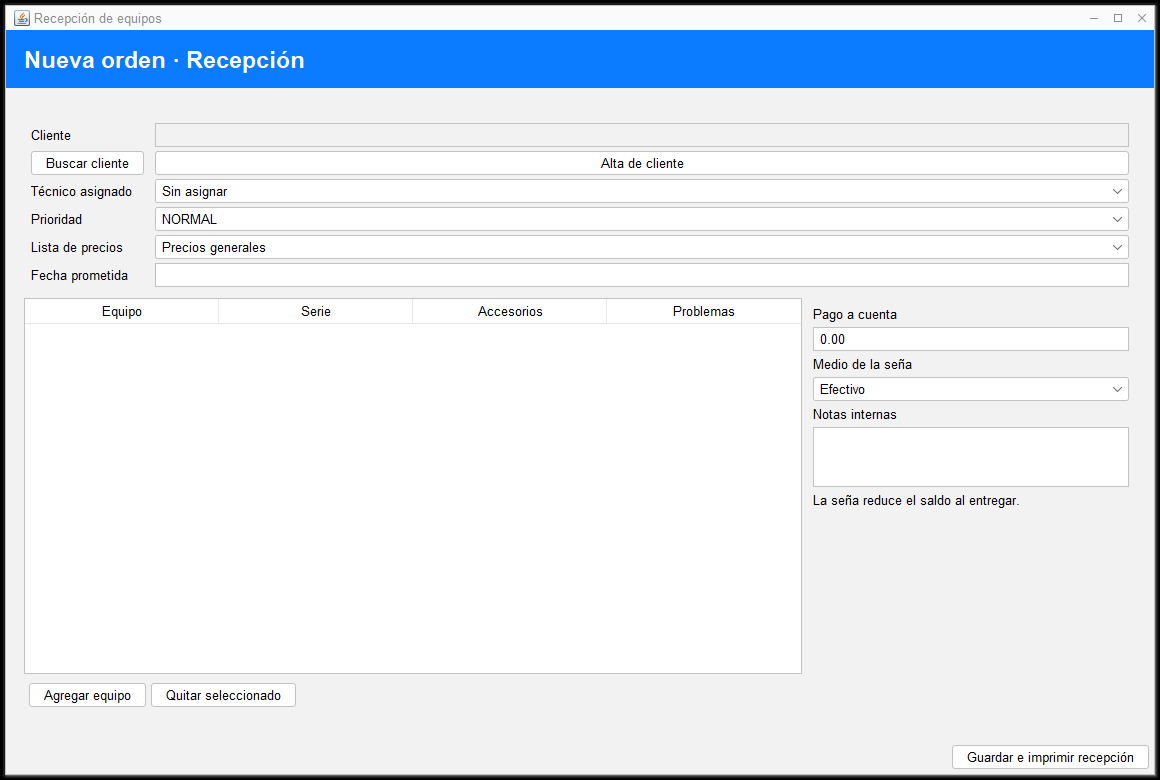
Does equipment arrive without a clear record?
Record the customer, devices, serial numbers, received accessories and reported issues in an intake order.
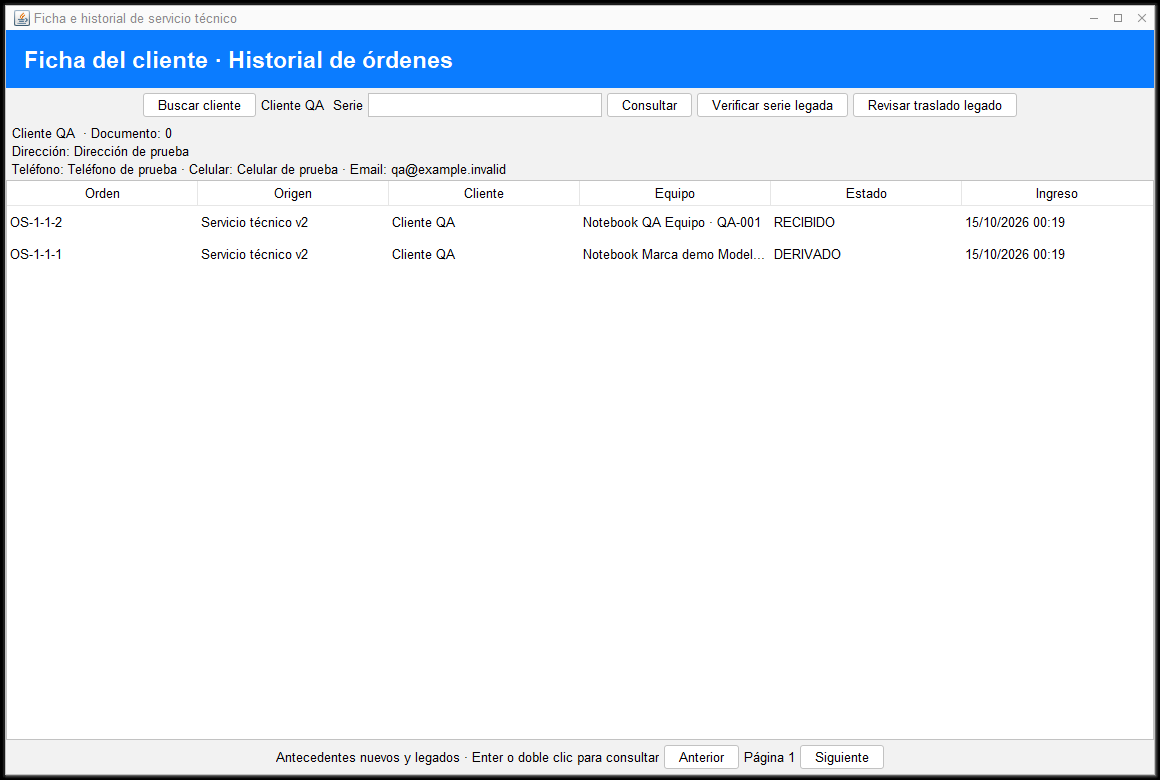
Do you search through paperwork for previous repairs?
Check the customer record and serial-number history to find the device’s previous service orders.
Are estimates and deposits disconnected from the repair?
Keep diagnostics, labor, parts, outsourced work and payments linked to the order through handover.
Features focused on your daily operation


Equipment intake
Receive multiple devices per order with accessories, issues, priority and a promised date.

Diagnostics and estimates
Record diagnostics, labor and parts, and track estimate approval.

Serial-number history
Find previous orders through the customer record and equipment serial number.

Outsourced repair costs
Record each external provider, cost and customer price while tracking the service order.

Payment and handover
Keep deposits, balances and handover linked to the existing sales and cash workflow.

Role permissions
Assign intake and technician tasks according to the permissions and modules enabled for each workstation.
From opening to closing, everything stays connected
- 1
Receive
Identify the customer, equipment, accessories and reported issues.
- 2
Diagnose and estimate
Record diagnostics, prepare an estimate and track approval.
- 3
Repair, collect and hand over
Finish the work, review the balance and record handover.
What businesses in this industry usually ask
Yes. Intake supports multiple devices with their serial numbers, accessories and reported issues.
Yes. The customer record provides serial-number history. Serial numbers from legacy records require operator verification.
Yes. Deposits are linked to the service order and reduce the balance due at handover.
Yes. Each outsourced job keeps its provider, cost and price. Provider payments remain separate from the customer’s balance.
Yes. Permissions allow separate staff or the same person to handle these roles, according to the workstation’s subscribed configuration.
Next step
Try XGestion with a walkthrough designed for your business
Schedule a demo or review the available options in our store.